2019年4月1日星期一

Original Second Hand V2015.05 Mercedes BENZ C5 SD Connect Xentry Tab Kit Support Online Update

New arrived Original Second Hand Mercedes Benz C5 Xentry Connect
Most people have used C3 and C4 star for Benz vehicles , i want to recommed our Mercedes Benz C5 to all of you .
Please check the highlights of this device as bellow :
1.It support update online one year,latest version 2015.05
2.The present condition of the machine: 95% as new
3.Newest Mercede BENZ Diagnostic tool
4.With original software and tablet kit
5.Support newest hybrid W222
If you worried C3 and c4 can not satisfied your request , you can choose the original Mercedes Benz C5 , If you want to have a stable system to diagnostic your benz vehicle , please choose our C5 with tablet kit ,its Technical Parameters as following :
1.OS: windows 7
2.ultimate CPU:4G
3.Hard disk memory: 250G
4.13.3inch touch screen
BENZ C5 SD Connect Diagnostic Tool Main Features:
Efficient diagnostic program and complete vehicle database
Simple and easy-to-use user interface (UI)
High-performance Tab with 4G memory and 13.3 inch LCD touch screen
Advanced upgraded VCI+ communication interface
Support Wired/ wireless connection
Cover all new Mercedes Benz models.
Honestly speaking this equipment is very expensive , but the professional will know why it worth . For more details for this machine , please check on our store : www.autonumen.com

2019年3月12日星期二

(Buying Guide)Nexiq USB Link 1 or 2? WiFi or Bluetooth?

Nexiq 1 or Nexiq 2?
Nexiq 1 is discontinued. no more updates but for most people it will still work just fine.
Nexiq 2 is the current model and has more future potential than what the nexiq 1 could do.
Cables for each are different so they are not interchangeable. When ordering, you should make sure you get 3 different cables. The standard 6/9 pin y-cable with the green connector on the 9 pin plug so you can communicate to the newer 500k baud network. A standard OBD II cable and an OBD II Cat cable to talk to Caterpillar engines in GM trucks. If you need to communicate to trailer ABS, you will also need a PLC adapter.
Do NOT buy the inexpensive clones that normally come with multiple cables. The clones are not reliable and if they update with nexiq software, they will become a brick.
The nexiq 2 clones don’t have 26 pin cables just the standard fitting also the usb connector is different and there is a hole by the usb connector on the clones as well.
Nexiq wifi or bluetooth?
Both will work off bluetooth but I find bluetooth very slow. It’s faster and easier just to use a cable to connect to the laptop. The cable is a standard USB “printer” cable. I like using a 5 meter cable so I can move the laptop out of the truck is I have to. There are times I’ve used the laptop on the other side of the truck and even under the truck. The long cable makes it easier. Occasionally, I’ll use bluetooth.
I have no idea what the wifi option is. To me, that would mean if the nexiq is communicating to the laptop over wifi then the laptop’s network connection isn’t connected to a router. Just ignore any wifi options.
Nexiq 1 or 2? wifi or bluetooth?
I’ve been able to talk to everything I need to with my Nexiq 1. It all depends on what software you’re using and what type of cable connections you have but they all will work with a nexiq. With the right software and an OBDII cable, I can even communicate to automotive. I used the OBDII cable yesterday to talk to a Hino.
There are a lot of other types of datalinks you can use and they will all work fine. Nexiq has sort of become the standard that all the software will work with plus you can get some add ons to make it better. The nexiq 1 didn’t originally come with a cable lock and the USB cable could break the connector on the motherboard if it was hit, bent etc from normal usage. I think they all come with the cable lock now which prevents the connector from being damaged. Mine also has a rubber protective boot that keeps it from getting damaged while being bumped and banged around from normal use.
There are a few vehicles that the nexiq just won’t talk to. Things like Mitsubishi (GM city delivery trucks etc) require a propriety datalink and there are a few others like that also. Espar heaters comes to mind. You need special hardware to communicate with them and it’s never inexpensive.
I just went to the nexiq site and downloaded the nexiq 2 wifi manual to see what it says. There are 2 options for wifi. peer to peer where the nexiq is connected directly to the laptop which means a second wifi card is required for the laptop if you want to stay connected to the companies network or you can allow the nexiq 2 to connect to the companies wifi network and your laptop connects to the nexiq through that network.
I find network communication to be sketchy at times. The position of the router in our shop gives poor wifi outside the shop so if you’re out of wifi range, you need to switch to a peer to peer connection. Personally, just go with the bluetooth version if you really need to do a wireless connection. 99.999% of the time, I connect through a USB cable because it connects quicker and the connection speed is much faster. If you ever need to do reprogramming, cable connection is highly recommended.
Wifi may have a much longer range but bluetooth will normally have around a 20-30 foot range. If your laptop is 20-30 feet away from the vehicle you are connected to, that’s a lot of walking to go back and forth from the truck to the laptop. A simple USB cable works much better.
I also noticed that the Nexiq 2 uses a different USB cable than what the Nexiq 1 uses. I guess the simplest way to describe it is the Nexiq 1 uses a USB printer cable end and the Nexiq 2 uses a digital camera end. I can’t remember the technical names from each end but they’re all easy to find cables if you need them in different lengths.
In conclusion, you’ll get what you pay for. Be careful to buy a Nexiq clone off! You may have issues with all the lights blink and they can not connect any more, you can not get warranty on Chinese clones so you are out of luck.If you still want to have a cheap clone one, autonumen.com is the the only supplier i recommend; he’s a man of his word to trust in. It begins as autonumen.com and turns to be autonumen.com. I’ve known this site for 7 years around, items from him are used with relief be’coz of professional tech support there. For others, I don’t support them and Nexiq won’t warranty them. Anyway, good luck.

2019年3月4日星期一

Cummins Inline 7 vs Nexiq USB Link 2

I am going to by by adapter for Cummins but I am confused between Inline 7 and NEXIQ USB Link 2…..
please any advice and what is the difference between both of them.
Thanks
Advice.. here you go
Mikeservice:
Nothing different other than inline comes with inline harness to plug into any Cummins harness if you can’t talk through oem side
Undeadmechanic:
Inline 7 is built by NEXIQ USB Link for Cummins. They slap their sticker on it, and give you the extra harness to plug into the backbone directly.
I ordered an inline 6 to get the extra goodies for benching and they sent a 7 instead. I’m not complaining, lol. I haven’t installed it yet, but it may have a different firmware than the “real” usb link 2. I’ll find out when I get around to installing it since I now have one of each.
silnoreki :
Inline have both blutooth and wifi and slighty faster even when looks same.Im happy with my inline7,just 2 cents.
Sdtruck12:
i can use inline 7 for everything from ddct to jpro and n14. from autonumen to new works great for programming real fast. Sometimes cummins only like cummins adapters, like n14 m11 570 stuff like that in my experience at least
harobaua:
The two differences I have noticed are:
1. Inline 7 has wifi and bluetooth at the time, nexiq only one at a time.
2. Nexiq 2 has more protocols than Inline 7, for example the Inline 7 does not work with Hino, Toyota, Isuzu.

2018年4月17日星期二

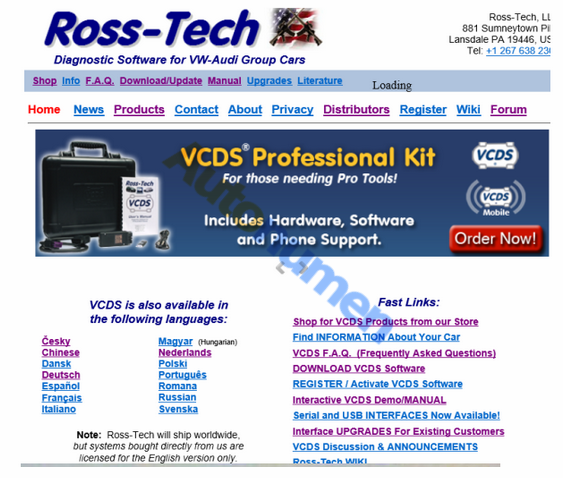
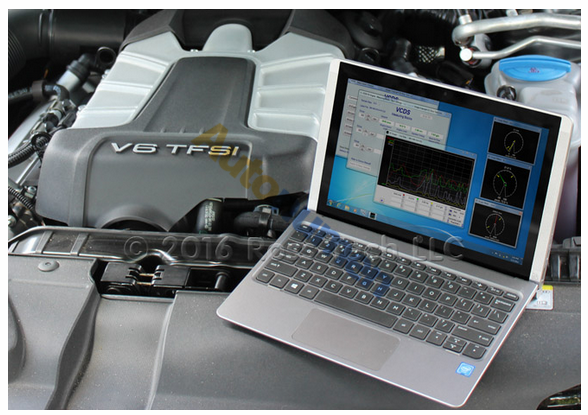
Latest Version VCDS V18.2 VAG COM V18.2 Cable Updated

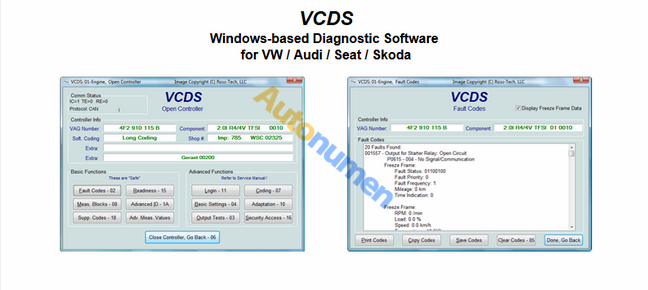
VCDS VAG-COM V18.2 HEX+CAN USB interface For VW Audi Seat Skoda released.
VCDS V18.2 Ross-Tech VCDS 18.2 Original Plan VCDS VAG-COM 18.2 support update online. autonumen.com share VCDS 18.2 Original Plan VCDS VAG COM Cable V18.2 VCDS Software Download.
4.1
Release VCDS V18.2 VAG-COM Cable:
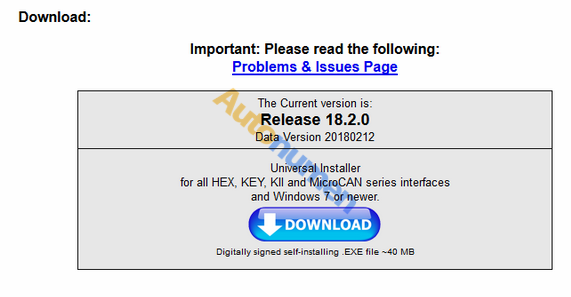
Software Version: V18.2
Hardware Version: V1.96
Support Multi-language: English, French, German, Russian, Italian, Swedish, Danish, Czech, polish, Dutch, Hungarian, Portuguese, Spanish, Slovenia, Romania
4.2
Support Car Brand: VW, Audi, Seat, Skoda VAG Group vehicles
OS requirement:Windows 7, 8, and 10 (both 32-bit and 64-bit)
VAG COM VCDS Release 18.2 VCDS Software Download:
4.3
The 18.2 VCDS Kable compatible with VCDS 12.12, VCDS 17.1.3 till VCDS 17.8.0 all version VCDS software for VAG-COM cable. If custom have VCDS VAG COM Purchase from autonumen.com, just download VCDS 18.2 software to update directly.
4.4
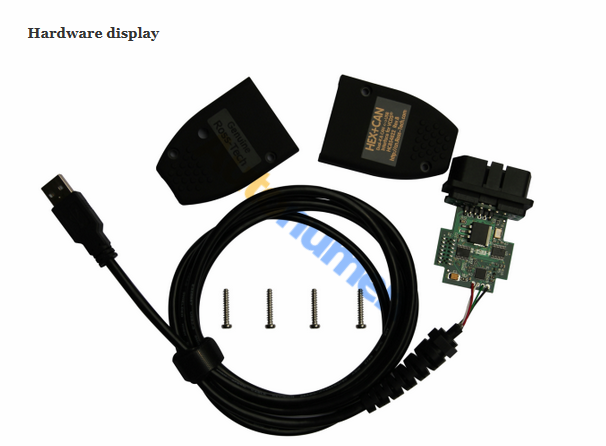
Hardware display
4.5

2018年3月15日星期四

Seven must- have car diagnostic tools

These days, cars and trucks are more complex than ever. Not only are they jam packed with all of today’s most advanced mechanical components and features, but all of these sophisticated bits of machinery are all interconnected via computerized networks of interrelated Car Diagnostic Tools. These networks can be very useful in testing and diagnosing problems with your vehicle- but only if you have the right equipment. A lot of times, all this extra sophistication can seem like a great hassle- especially if you’re accustomed to the good old days of muscle-car simplicity where you just replace the part and fire it up. Well, for better or worse, those days are gone.
The good news is there’s plenty of powerful tools available that- with a little bit of time in research- you can learn to perform complex diagnostic functions with that will give you a lot more power over the ins and outs of your car or truck than you would have had otherwise.
These tools will give you the ability to figure out what is going on with your modern computerized vehicle, so that you can get it fixed and get back on the road.
1. Obd2 Scanner
An OBD2 Scanner is a diagnostic system that allows onboard computers in cars and trucks to tell you what’s wrong with the vehicle. This car diagnostic tool is used for a range of self-diagnostic and reporting purposes. Unlike the earlier, OBD-I system, the Obd2 system uses the same code designations, communication protocols, and connectors for cars made by all major manufacturers. The standardization has made the previous Obd1 almost completely obsolete.
2. Ignition Tester
Also known as a spark tester, this tool is absolutely indispensable for anything that relies on spark plugs- that means your car. Any time an engine won’t start, it’s possible that the reason is that there is no spark coming from the spark plug to get the engine started. An ignition tester allows you to diagnose the problem so that you don’t go all around your car solving every other problem whether you need to or not.
3. Airbag Tester
As you can imagine, it could be quite problematic to have a non-functional air bag and not know about it until the moment you need it. And naturally, testing your airbag by whacking your bumper with a rubber mallet is not ideal. Fortunately, there is a tool that can tell you whether or not all of the electronic components of your airbag system are working correctly without setting the safety device off.
4. Fuel Pressure Tester
Like a problem with your spark plug, a problem with low fuel pressure can cause your car or truck to fail to start- and if you can’t diagnose the problem directly, then you may have to work on several different things before finally finding the problem. A fuel pressure tester tells you where your vehicle’s fuel pressure is at, whether it’s too high or two low, enabling you to solve the problem straight away.
5. Timing Lights
A timing light is a special automotive stroboscope that mechanics use to set the ignition timing of internal combustion engines that are equipped with a distributor. Modern vehicle engines require timing lights to scan ignition timing accurately so that the timing can be adjusted to the optimal range for your vehicle.
6. Emission Analyzer
In most states, drivers are required to have their vehicles checked for proper exhaust emissions before the vehicle can be tagged and allowed to drive legally on public roads. Even if you are fortunate enough to live in a part of the country where vehicle emissions are not regulated, it still might be good for your conscience to have your emissions tested and adjusted accordingly. These devices are inserted into the exhaust pipe and, in addition to checking your emissions- they can also be used to diagnose a whole host of problems. It can also play an important role in certain safety checks, help with engine tuning, and certain kinds of repairs.
7. Vacuum Tester
A vacuum test is among the simplest diagnostic tools a mechanic can have. With a simple gauge, anyone can gain valuable insight into vacuum leaks, low compression, incorrect timing, and sticking valves just to name a few. You will need to know the vacuum specifications for your engine, and bear in mind that these gauges are adjusted for sea level. That means for every 1,000 feet your location is above sea level, you will need to subtract an inch of vacuum. The simplest check to perform is a running vacuum test. Simply start the engine and let it reach normal operating temperature. Find a vacuum port and connect the gauge. The port should be on the manifold or below the carburetor. It shouldn’t be on the air cleaner, high on top of the carburetor, or on any of the emissions control components.

How does it work?

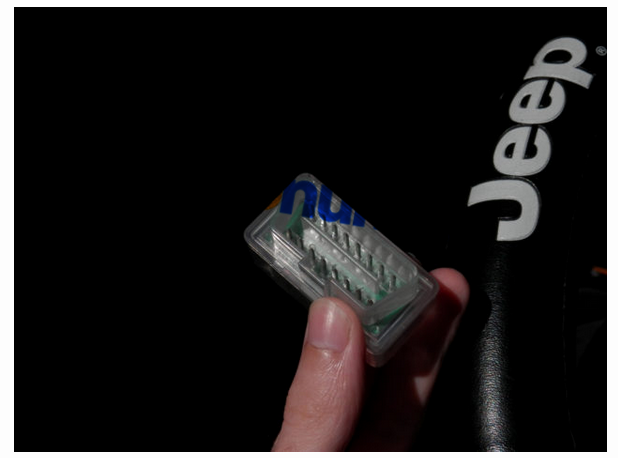
With a simple wireless dongle that plugs into the OBD2 Code Scanners port underneath the dash of your car, you can create an access point where your iPhone can communicate with your car’s computer to receive data and statistics. The concept isn’t new, but the technology continues to mature and become more reliable as time goes by.
17.1
The LELink Bluetooth Low Energy OBD2 Diagnostic Tools is just one example of many dongles that do this, but after careful examination of customer reviews on Amazon, I selected this model because it seemed to be one of the best models out of the bunch with the highest amount of satisfied customers.
I would recommend a Bluetooth-style dongle over a Wi-Fi style one since the pairing is much simpler and the impact on the battery of your iPhone will be a lot less.
After you plug it in, the red light indicating that a power connection has been made should turn on, and now you can unlock your iPhone and power up the OBD Fusion app to start pairing the device to your iPhone. As you access it, green and yellow lights will flash to indicate data transfer between the devices.
Note: Although it’s a Bluetooth device, you do not pair it with your iPhone from the Bluetooth settings on your iPhone. Instead, you will launch the OBD Fusion app from your Home screen and connect to the dongle from the app.

2018年3月14日星期三

The Top 3 Best OBD2 Scan Tools for Toyota Cars

An OBDll scanner is an automotive diagnostic tool used to read codes entered in different systems when a failure is detected and your check engine lights up. The two types of OBD-ll scanners are code readers and scan tools. A code reader will only read codes while a scan tool is a full car diagnostic tool, exhibiting a wide range of features such as the ability to view and sort live data, diagnostic procedures, built-in scopes, multimeters, and more.
Are you an owner of a Toyota car and searching for the best OBD2 scan tools that work quickly and efficiently?
There are plenty of scan tools which are known to be useful for Toyota cars. Here are the top 3 best OBD2 scan tools:
The Launch X431 Creader VII+ DIY Scan tool is a great product which supports a wide range of vehicles including Toyota. The best part is it not only comes with a test engine but also with ABS, airbag systems and can read or reset the codes, displays the data stream graphics and much more.
The multilingual menu which includes most main languages (Chinese, English, French, Spanish etc.). The software updates can be downloaded for free from the official Launch website, which is a must compared to other scanners working with software cards you need to order by mail and may sometimes be really expensive.
The pros of this scan tool are the convenient onboard diagnostics and portable design making it efficient and effective for quickly troubleshooting or monitoring cars.
The main con would be the lack of support or limited functionality with luxury and more exotic car manufacturers like Porsche and Land Rover (this is also a problem with most scanners so it’s not really a con… just be aware of it.)
This product is most suited for DIYers, amateur mechanics or mechanics looking for a good scanner on a budget.
Car Diagnostic Tools Launch CRP129 is a pro-level product which is applicable for most of the vehicles that match the OBDII standard after 1996. It can read as well as clear DTC and supports all 10 test modes of OBDII.
The best features of this device are the oxygen sensor test, the carbon canister test and the service light reset function which works perfectly fine for multiple car models.
This device features some unique functionality as it supports engine oil light reset, brake block reset and even steering angle sensor calibrating.
This product is a godsend for both mechanics and experienced enthusiasts.