2021年10月12日星期二

the highly effective diagnostic tool JPRO Professional heavy-duty truck scan toolJPRO

the highly effective diagnostic tool JPRO Professional heavy-duty truck scan tool JPRO Professional heavy duty truck scan tool uses the most comprehensive diagnostic software you can find on the market today.
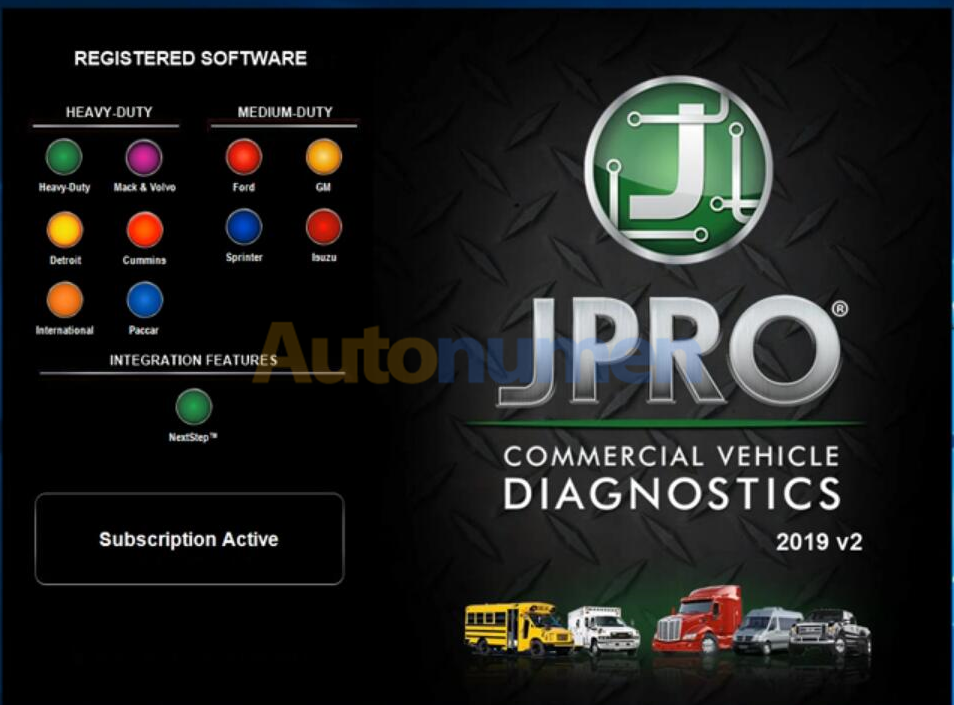
the highly effective diagnostic tool JPRO Professional heavy-duty truck scan toolJPRO -1

The powerful software uses enhanced OEM fault-code information with ACM resets and cylinder cut-outs capabilities.

Moreover, it has an inbuilt Next Step Services Information that helps speed up the time taken to repair a truck.

As a result, you will be able to access digital photos, complete wiring, and installation information. Finally, it comes with a troubleshooting guide that makes diagnosis a no-brainer task.
Features and functionalities

JPRO Professional heavy-duty truck scan tool is a number one trusted scan tool by most car technicians. Do you want to know why? The secret is in what it can do.

Here a comprehensive look at the features.
1. Bi-directional controls
It is capable of performing parameter changes for Volvo and Mack.

Equally, JPRO Professional heavy-duty truck scan tool can perform DPF Regens for Detroit Diesel, Cummins, Volvo, Mack, and Internationals.

All these tests are bi-directional with proprietary faults and data.
2. OE level fault code information

Display 99% for both medium-duty and heavy-duty fault codes with a comprehensive OEM level component as well as the trailer descriptions.
3. Include heavy and medium-duty modules

Heavy-duty modules include PACCAR, international, Detroit Diesel, Cummins, Volvo, and Mack. The medium-duty modules include sprinter, Isuzu, GM, and Ford.
4. Fault management

It is capable of clearing faults as well as making a quick diagnosis with easy to use application.
5. Vehicle reporting

With the heavy duty diagnostic scanner JPRO Professional scan tool, you can view and subsequently print logo files comprising LOV reports, Trip Reports, and Vehicle Health.
6. Store and save data

Effectively record all the data log files with playback capabilities even when not connected to the truck.
7. Comprehensive vehicle health status

In a single pass, you can be able to see the entire vehicle.
8. JPRO professional user diagnostic software

It has powerful software, a DLA 2.0 adapter, and the Panasonic Toughbook for enhanced diagnosis.
9. Ease of use and compatibility

It has 9-pin Heavy-Duty Cable, OBDII Cables, 6-pin Heavy-Duty Cable, and USB Cable.

JPRO Professional heavy-duty truck scan tool is a highly effective diagnostic tool with many advantages.

2021年9月26日星期日

VCM II “error license for function Passthru” Solution

Have VCM2 clone and when I install the patch file, I get message ” error license for function: Passthru” and “Device error”. I install Ford IDS V112, Mazda IDS V107.


Autonumen engineer solution:

Ford_IDS Installation package:
https://mega.nz/#F!fcoVnYZT!jpEjr4HHXU5Ifg8Hm0xERg

Mzd_IDS Installation package:
https://mega.nz/#F!bMg1ECzT!BjEMSq1TUvdgn2aT2CKTEg

Ford_Mzd patch:
https://mega.nz/#F!OV4RRC6B!seCWP6UCzOPWEDYlQxZ1iQ

Virtual machine Ford IDS 106 CN: https://pan.baidu.com/s/1yhbR1yTrr5B0rKKhTrmQMw? Password:v8pg?
Virtual machine Ford IDS 106 EN: https://pan.baidu.com/s/13_oIwio1Eehl_usP6CgbWw Password:i2ku

2021年9月13日星期一

JPRO Professional Heavy Truck Diagnostic Scanner Tool

JPRO is the #1 in-shop diagnostic and repair solution used by today’s major fleets and service centers. Offering the most extensive multi-brand coverage and comprehensive diagnostics, JPRO gives you an unparalleled look into the vehicles you repair daily. Use JPRO’s advanced capabilities to detect every issue on the vehicle, resulting in more efficient technicians and improved profits.

With JPRO Professional, technicians at companies ranging from the largest fleet maintenance centers to independent repair businesses can quickly take advantage of our easy-to-use technology to connect to and read the results of an entire vehicle’s systems in about a minute’s time.

This comprehensive readout includes access to the following areas and functions of a vehicle:
Engine controller
Transmission controller
Anti-lock brakes
Exhaust aftertreatment
Body controller
Instrument cluster
Equipped with comprehensive vehicle overviews, your technicians will become far more efficient at diagnosing issues across all makes and models of classes 3 to 8 commercial vehicles. What’s more: They can be confident that they won’t miss minor problems that, if overlooked, could lead to major repairs down the road.

Stop crawling around the vehicle to identify OEM components and diagnose vehicles-let JPRO do the work for you!


Industry-Leading Commercial Vehicle Diagnostic Software
JPRO Professional will scan the entire vehicle, providing detailed component information and enhanced fault code descriptions so you can diagnose faster than ever. Loaded with industry-leading bi-directional capabilities, JPRO will reduce your dependency on hard-to-use OEM software and empower you to do what you do best – repair vehicles.


The Number One Comprehensive Heavy-Duty Truck Diagnostic Scanner
In addition to time savings, JPRO offers access to data you need so that you’re not left scratching your head with a vehicle that’s not included in a lesser diesel diagnostic tool’s database.

With Heavy Duty Diagnostic JPRO as your comprehensive heavy-duty diagnostic solution, you can easily perform scans and repairs on the following makes of commercial vehicles, engines, and transmissions:

Bodies and chassis: Able to scan the bodies and chassis of Bluebird, Ford, Freightliner, GM International, Kenworth, Peterbilt, Mack, Sprinter, Thomas Built, Sterling, Western Star, and Volvo.
Engines: Includes coverage of CAT, Detroit, Cummins, Ford, GM International, Mercedes, PACCAR MX, Mack, Sprinter, and Volvo engines.
Transmissions: Covers Allison, Detroit, GM, Eaton, Mack, Sprinter, Volvo, Ford, and ZF transmissions.
ABS: Can read Bendix, GM, Haldex, Ford, Sprinter, WABCO, and Wabash anti-lock brake systems.

2021年9月1日星期三

How to install Ford IDS 109 software for VCM II

How to install Ford IDS 109 software:

1- Install the ids 86 before changing the date to 1 07 2015

(hold the date 1/7/2015 ,, until you finish step 5

every time you restart your computer, check the date, if it is  on 1/7/2015)

2- install patch ( choice option 2 )

3- Make a backup of your windows system (I recommend, this is optional)

4- Open the program with the interface connected ,,( choose NON DEALER,when open program for first time ) , keep vcm turn on,on the computer.

5 – create a restore point,,,then turn off vcm of the computer

6 – Okay, now install the new version,  v109.01, before installing, changing the date of your computer, to the current day

7- After installing, go back to the restore point, which you created in step 5, activate this restore point, and then open the program

8- Finally, install FordExtendProgram  (click right mouse button click on, run as administrator)

Done, will work in the new version

Note, here’s solution of VCM II IDS software update error

Error message in update IDS 109:


VCM II – IDS software version mismatch (update IDS)

The software version on the VCM II is newer than the IDS software version.

Select Tick to install the latest version of the IDS software.

Select X to cancel and then roll back the VCM II to an earlier level of software.


se ha producido un problema al actualizar el software vcm ii

es nece sario realizar un restablecimiento de fabrica de vcm ii

pulse el icono de confirmacion para realizar el restablcimiento

pulse x para cancelar

There was a problem updating the vcm ii software

It is necessary to carry out a factory restoration of vcm ii

press the confirmation icon to perform the reset

press x to cancel

2021年8月25日星期三

How to choose the car diagnose tool for your vehicle


How to choose the car diagnose tool for your vehicle

We always heard from customers:

1. All function for cars

2. I need all trucks diagnostic tool, And also all brands car diagnostic tools, Please suggest

3. I’m need all function for trucks, If truck & cars one product also ok

4. The one could do ECU programming, immolizer programming, calibration etc

5. 1 product could diagnose both car and truck

6. We want buy proper one, it means all trucks and all cars

Or: My car model No. is XXX, Year is XXX, Which tool will support my car?

Well, we do have tool for all car and all truck: Launch X431 V+ (PRO3) Plus HD3 HD III Truck Module Trucks & Cars 2 in 1 Diagnostic Tool supports car and Heavy Duty Truck.

We have tool for all car: Launch X431 V 8 inch Bluetooth/Wifi Auto Diagnostic Tool X-431 V Scanner. Foxwell diagnose tool. G-scan 3.

We also have tool for all truck: Launch X431 V+ HD3 Wifi/Bluetooth Heavy Duty Truck Diagnostic Tool.

Some customers don’t want the tool for all car or all truck, which tool is best for they?

For BMW vehicle, we have BMW ICOM diagnose tool.

For Porsche, we have Piwis II and Piwis III, Piwis II is support vehicle till 2018 Year, Piwis III is support vehicle till 2021 Year, and Piwis III need choose the laptop with the tool.

For Mercedes Benz vehicle, we have C3, C4 , C5, C6. C3 is for the old car, C6 is for the new car, C4/C5 is between C3 and C6.

For Jaguar Land Rover vehicle, we have JLR diagnose tool.

For Ford & MAZDA vehicle, we have Ford VCM diagnose tool.

For Toyota vehicle, we have TOYOTA DENSO Diagnostic Tester IT2.

For GM/SAAB/OPEL/SUZUKI/ ISUZU/ Holden / Chevrolet vehicle, we have GM Tech 2 and GM MDI2.

For Chrysler & Dodge & Jeep & Fiat vehicle, we have WiTech MicroPod 2.

For Mitsubishi vehicle, we have Mitsubishi MUT-3 diagnostic tool.

For Lexus vehicle, we have OTC GTS diagnose tool.

For Kia & Hyundai vehicle, we have GDS VCI Scan Tool.

For Honda & Acura vehicle, we have C500 Auto Diagnostic Tool and H685 HONDA ACURA Professional Tool.

For Infiniti vehicle, we have SVCI diagnose tool.

For Volkswagen & Audi & Skoda vehicle, we have VAS6154 Diagnostic Tool.

For Isuzu truck and bus, we have G-IDSS diagnose tool.

For Renault vehicle, we have Renault CAN Clip Renault V191.

For Nissan vehicle, we have Consult-3.

For John Deere truck, we have Advisor EDL V2. The 3 software is in the same version for V4.0, the 2 software is in the same version for V4.2, it is divide for 5.2 version.

For New Holland vehicle, we have CNH EST 8.6 & 9.2.

For JPRO truck, we have JPro DLA+ 2.0 Adapter Kit.

For JCB Heavy Duty Truck, we have JCB Service Master 4 V17.0.

For VOLVO truck, we have Volvo VOCOM.

For MAN CAT vehicle, we have V14.01 MAN Diagnostic Tool.

Above the diagnose tools for vehicle, but a lot of the people need key programming and mileage correct. But the diagnose tool does not have those function.

Now, we talking about the key programming tool.

1.SBB PRO2 Key Programmer V48.88.
2. Lonsdor K518S Key Programmer Odometer adjustment Tool.
3. XTOOL X100 PAD.
4. CK100 Auto Key Programmer V99.99
5. Autel MaxiIM IM508 IMMO & KEY PROGRAMMING.
Each one have car list on the website, you could find your vehicle Model No. and Year in the car list, then mean this tool could support your vehicle.

For the Mileage correct tool, we have:

1. Original Yanhua Digimaster 3 Odometer Correction Master.
2. ODO MASTER
3. Original DSP3
Each tool have they own car list, you could find your vehicle Model No. and Year in the car list, then it is mean this tool could support your vehicle.

If you have any question. Please contact us via Email: mailto:service@autonumen.com

2021年8月12日星期四

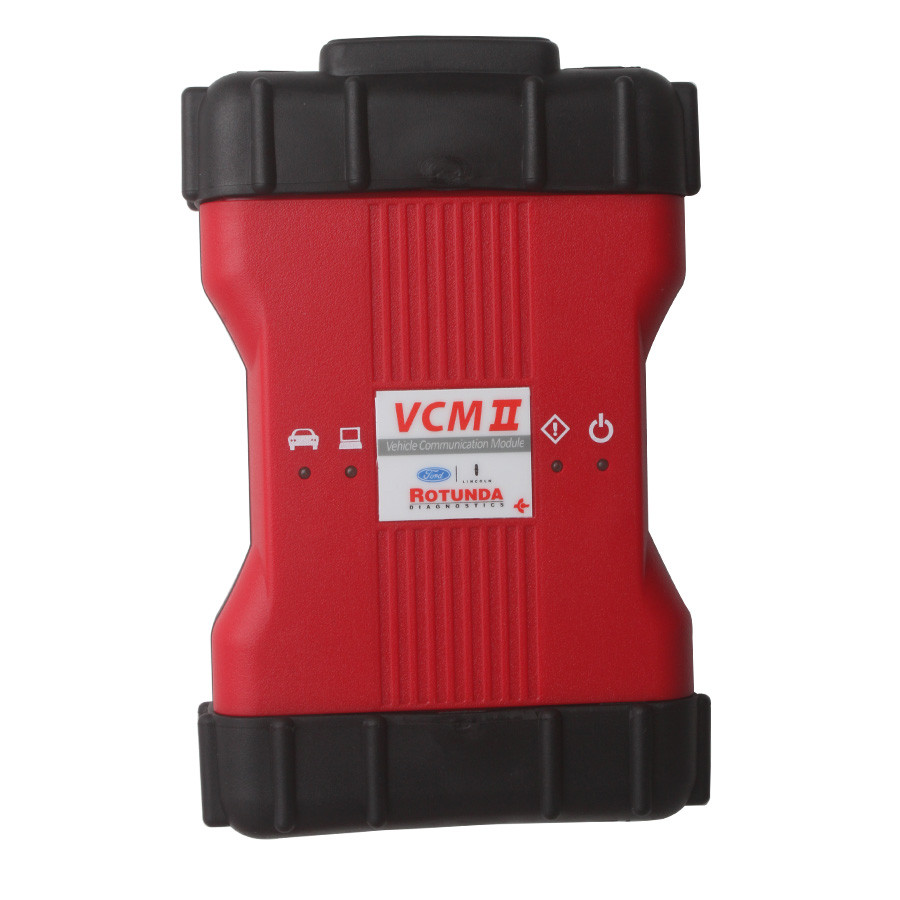
Best Quality Ford VCM II Ford VCM2 Diagnostic Tool V101


Best Quality Ford VCM II Ford VCM2 Diagnostic Tool V101-1

Ford VCM II provides full dealer diagnostic capabilities for most 16 pin for Fords, including all new 2016 for Ford vehicles,It can only Support For Ford Cars.

Highlights of VCM II for Ford:
1. IDS Software Version: V101 (Now It Can Only Support for Ford Cars)2. Multi-language: English, Italian, Spanish, Spanish(Mexico), French, French(Canada), German, Dutch, Finish, Danish, Greek, Slovenian, Amer English, Vietnamese language, Turkish, Thai, Swedish, Russian, Portuguese, Portuguese(Brazil), Polish, Norwegian, Korean, Japanese, Indian, Czechic, Chinese(Taiwan), Chinese(China)
3. Update: Via CD
4. Operating System: Windows XP
5. Vehicles Coverage: VCM II provides full dealer diagnostic capabilities for most 16 pin for Fords, including all new 2016 for Ford vehicles

Ford VCM II Description:
The VCM II is the new Ford OEM diagnostic tool. It provides dealer-level diagnostics using the IDS software.
The VCM II is the brand new diagnostics interface from Ford for use with the Integrated Diagnostics Software (IDS).
The VCM II and IDS, along with a dedicated laptop, provides full dealer diagnostic capabilities for most 16 pin Fords.
A fantastic new function of the VCM 2 is its ability to communicate wirelessly with your laptop or computer without any hardware or software upgrades.
This allows technicians to work on vehicles remotely while the VCM II is connected directly to the vehicle.

The VCM II will be required for all new 2016 Ford vehicles and is backwards compatible with most 16 pin Fords.
It supports the Vehicle Measurement Module (VMM) and new Customer Flight Recorder (CFR).
The VCM II has shock resistant rubber ends, making it suitable for garage and workshop environments.

The CFR replaces the Vehicle Data Recorder (VDR).
The CFR is an optional cable that allows the VCM II to monitor and record live data streams.
This provides an advantage for technicians when diagnosing intermittent problems.

Ford VCM II Features:
1. The VCM II is the new for Ford OEM diagnostic tool. It provides dealer-level diagnostics using the IDS software.
2. The VCM II is the brand new diagnostics interface from for Ford for use with the Integrated Diagnostics Software (IDS).
3. The VCM II and IDS provides full dealer diagnostic capabilities for most 16 pin for Fords.
4. The VCM II will be required for a few new 2016 for Ford vehicles and is backwards compatible with most 16 pin for Fords.It supports the Vehicle Measurement Module (VMM) and new Customer Flight Recorder (CFR).
5. The VCM II has shock resistant rubber ends, making it suitable for garage and workshop environments.
6. The CFR replaces the Vehicle Data Recorder (VDR).
7. The CFR is an optional cable that allows the VCM II to monitor and record live data streams. This provides an advantage for technicians when diagnosing

Ford VCM II VCM2 Function:   
* Automatic vehicle recognition
* Read & Clear Diagnostic Trouble Codes (DTCs)
* Live Data-stream with Recording & Playback Functions for Main ECUs
* Guided Fault Finding
* New Software Re-flash for Existing ECUs
* Programming & Installation of new ECUs (PCM, ABS, Instrument Cluster, Air Bag, Fuel Pumps, etc.)
* Program New Keys
* Injector Coding
* Set, Adjust or Remove Speed Governors
* DPF Regeneration
* Brake Bleeding
* Steering Angle Resets
* All Other Dealer Functions

Ford VCM II Features & Specifications:
1.Automatic vehicle recognition
2.Read & Clear Diagnostic Trouble Codes (DTCs)
3.Live Data-stream with Recording & Playback Functions for Main ECUs
4.Guided Fault Finding
5.New Software Re-flash for Existing ECUs
6.Programming & Installation of new ECUs (PCM, ABS, Instrument
Cluster, Air Bag, Fuel Pumps, etc.)
7.Program New Keys
8.Injector Coding
9.Set, Adjust or Remove Speed Governors
10.DPF Regeneration
11.Brake Bleeding
12.Steering Angle Resets
13.All Other Dealer Functions

2021年8月5日星期四

How to perform OCR with Ford VCM2/ VXDIAG IDS


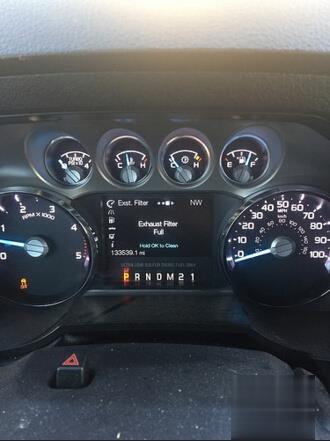
Here’s an easy instruction on how to how to perform Operator Commanded Regeneration (OCR) with Ford VCM II or VXDIAG VCX NANO IDS system manually.

When to perform OCR
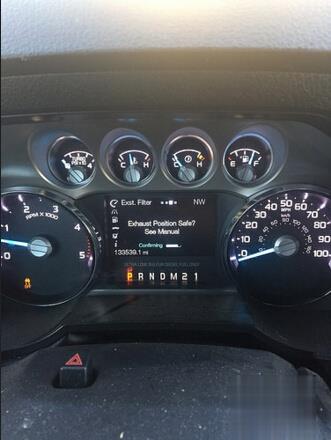
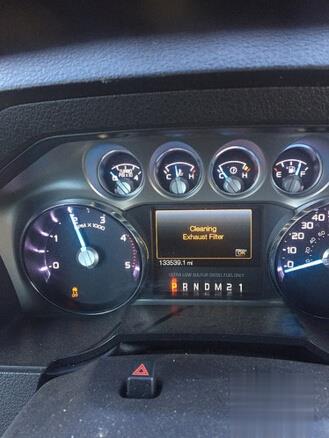
Use the OCR feature when the DRIVE TO CLEAN EXHAUST FILTER
message appears in the message center and:
• the operator is not able to drive in manner that allows effective
automatic cleaning (active regeneration),
• or the operator instead wishes to manually start regeneration
(cleaning) of the DPF while the vehicle is idle (stationary).

Tool to use:

Ford VCM 2 or VXDIAG VCX NANO for Ford& Mazda 2-in-1

(better operate in Windows XP or VMware)

Procedure:

In IDS,
Select Toolbox-Powertrain-Service Funtions-DPF manual regeneration

also, keep drilling down to Diesel particulate regeneration system- DPF manual regeneration.

One or both of those will be changed to “Yes”

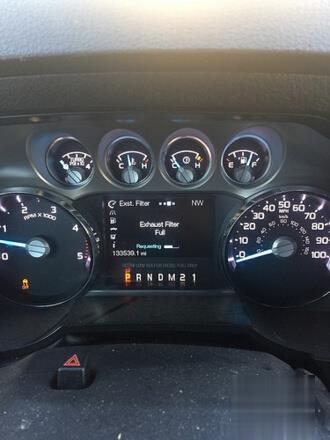
Go to the gauge display on the IC, and the regen % will be on the third page. The 4th will still be blank.

I haven’t dicked around with it in awhile, but I’m sure that I will be able to OCR in the near future without going through the Edge module.

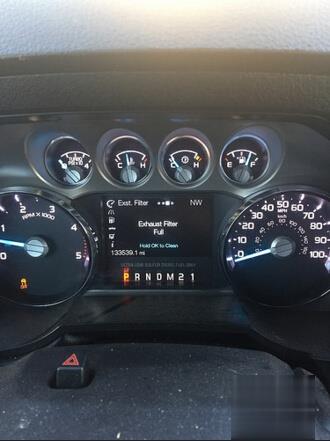
How to perform OCR with Ford VCM2 VXDIAG IDS-1 (2) How to perform OCR with Ford VCM2 VXDIAG IDS-2 (2) How to perform OCR with Ford VCM2 VXDIAG IDS-3 (2) How to perform OCR with Ford VCM2 VXDIAG IDS-4 (2) How to perform OCR with Ford VCM2 VXDIAG IDS-5 (2)

see also VXDIAG VCX NANO for Ford IDS perform OCR