显示标签为“Ford VCM2”的博文。显示所有博文

2025年8月16日星期六

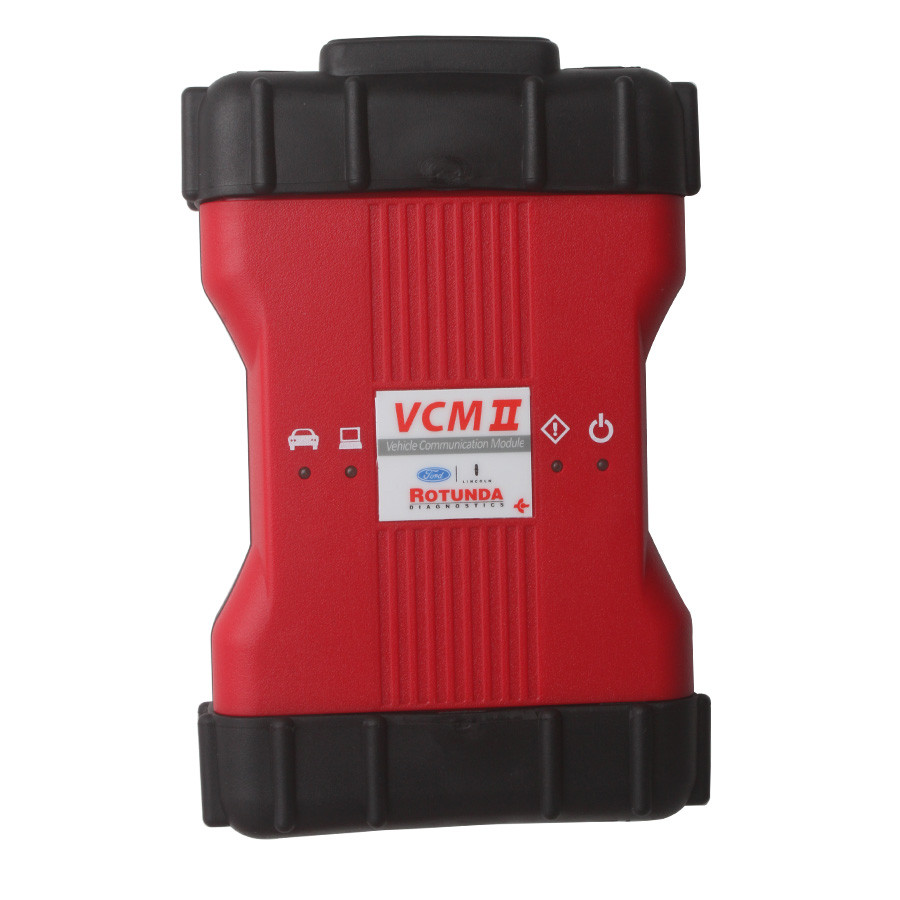
Best Quality VCM II Ford VCM2 Ford Diagnostic Tool


The VCM II is the new for Ford OEM diagnostic tool. It provides dealer-level diagnostics using the IDS software.
The VCM II is the brand new diagnostics interface from Ford for use with the Integrated Diagnostics Software (IDS).
The VCM II and IDS, along with a dedicated laptop, provides full dealer diagnostic capabilities for most 16 pin Fords.
The VCM II will be required for all new 2022 Ford vehicles and is backwards compatible with most 16 pin Fords.
It supports the Vehicle Measurement Module (VMM) and new Customer Flight Recorder (CFR).
The VCM II has shock resistant rubber ends, making it suitable for garage and workshop environments.
The CFR replaces the Vehicle Data Recorder (VDR).
The CFR is an optional cable that allows the VCM II to monitor and record live data streams.
This provides an advantage for technicians when diagnosing intermittent problems.

Highlights of VCM II for Ford:
1.IDS Software Version: V115 or V131
2.Multi-language: English, Italian, Spanish, Spanish(Mexico), French, French(Canada), German, Dutch, Finish, Danish, Greek, Slovenian, Amer English, Vietnamese language, Turkish, Thai, Swedish, Russian, Portuguese, Portuguese(Brazil), Polish, Norwegian, Korean, Japanese, Indian, Czechic, Chinese(Taiwan), Chinese(China)    
3.Update: Via CD or hard disk
4.Operating System: Windows 7 64bit
5.Vehicles Coverage: VCM II provides full dealer diagnostic capabilities for most 16 pin for Fords, including all new 2022 for Ford vehicles
6.VCM II Scan tool can do diagnose, scan, airbag, key programming, ecu programming, PCM programming via OBD2 port till 2022

VCM II for ford Features:
1.The VCM II is the new for Ford OEM diagnostic tool. It provides dealer-level diagnostics using the IDS software.
2. The VCM II is the brand new diagnostics interface from for Ford for use with the Integrated Diagnostics Software (IDS).
3. The VCM II and IDS provides full dealer diagnostic capabilities for most 16 pin for Fords
4. The VCM II will be required for a few new 2022 for Ford vehicles and is backwards compatible with most 16 pin for Fords.
It supports the Vehicle Measurement Module (VMM) and new Customer Flight Recorder (CFR).
5. The VCM II has shock resistant rubber ends, making it suitable for garage and workshop environments.
6. The CFR replaces the Vehicle Data Recorder (VDR).
7. The CFR is an optional cable that allows the VCM II to monitor and record live data streams. This provides an advantage for technicians when diagnosing

VCM II VCM2 Function:
1.Automatic vehicle recognition
2.Read & Clear Diagnostic Trouble Codes (DTCs)
3.Live Data-stream with Recording & Playback Functions for Main ECUs
4.Guided Fault Finding
5.New Software Re-flash for Existing ECUs
6.Programming & Installation of new ECUs (PCM, ABS, Instrument Cluster, Air Bag, Fuel Pumps, etc.)
7.Program New Keys
8.Injector Coding
9.Set, Adjust or Remove Speed Governors
10.DPF Regeneration
11.Brake Bleeding
12.Steering Angle Resets
13.All Other Dealer Functions

VCM II Package List:    
1pc x VCM2 interface
1pc x OBD2 cable
1pc x USB cable
1pc x CD-DVD
1pc x 500G HDD with the Latest software in HDD (optional)
1pc x Second Hand Lenovo T450 Laptop With The latest Software (optional)

Second Hand Laptop Lenovo T450 Specification:
Brand: Lenovo
Condition: Used
Type: Laptop/Notebook
Screen Size: 14
Processor Type: Intel (R) Core(TM) I5-5200U CPU
Memory: 8GB

2021年9月26日星期日

VCM II “error license for function Passthru” Solution

Have VCM2 clone and when I install the patch file, I get message ” error license for function: Passthru” and “Device error”. I install Ford IDS V112, Mazda IDS V107.


Autonumen engineer solution:

Ford_IDS Installation package:
https://mega.nz/#F!fcoVnYZT!jpEjr4HHXU5Ifg8Hm0xERg

Mzd_IDS Installation package:
https://mega.nz/#F!bMg1ECzT!BjEMSq1TUvdgn2aT2CKTEg

Ford_Mzd patch:
https://mega.nz/#F!OV4RRC6B!seCWP6UCzOPWEDYlQxZ1iQ

Virtual machine Ford IDS 106 CN: https://pan.baidu.com/s/1yhbR1yTrr5B0rKKhTrmQMw? Password:v8pg?
Virtual machine Ford IDS 106 EN: https://pan.baidu.com/s/13_oIwio1Eehl_usP6CgbWw Password:i2ku

2021年9月1日星期三

How to install Ford IDS 109 software for VCM II

How to install Ford IDS 109 software:

1- Install the ids 86 before changing the date to 1 07 2015

(hold the date 1/7/2015 ,, until you finish step 5

every time you restart your computer, check the date, if it is  on 1/7/2015)

2- install patch ( choice option 2 )

3- Make a backup of your windows system (I recommend, this is optional)

4- Open the program with the interface connected ,,( choose NON DEALER,when open program for first time ) , keep vcm turn on,on the computer.

5 – create a restore point,,,then turn off vcm of the computer

6 – Okay, now install the new version,  v109.01, before installing, changing the date of your computer, to the current day

7- After installing, go back to the restore point, which you created in step 5, activate this restore point, and then open the program

8- Finally, install FordExtendProgram  (click right mouse button click on, run as administrator)

Done, will work in the new version

Note, here’s solution of VCM II IDS software update error

Error message in update IDS 109:


VCM II – IDS software version mismatch (update IDS)

The software version on the VCM II is newer than the IDS software version.

Select Tick to install the latest version of the IDS software.

Select X to cancel and then roll back the VCM II to an earlier level of software.


se ha producido un problema al actualizar el software vcm ii

es nece sario realizar un restablecimiento de fabrica de vcm ii

pulse el icono de confirmacion para realizar el restablcimiento

pulse x para cancelar

There was a problem updating the vcm ii software

It is necessary to carry out a factory restoration of vcm ii

press the confirmation icon to perform the reset

press x to cancel

2021年8月12日星期四

Best Quality Ford VCM II Ford VCM2 Diagnostic Tool V101


Best Quality Ford VCM II Ford VCM2 Diagnostic Tool V101-1

Ford VCM II provides full dealer diagnostic capabilities for most 16 pin for Fords, including all new 2016 for Ford vehicles,It can only Support For Ford Cars.

Highlights of VCM II for Ford:
1. IDS Software Version: V101 (Now It Can Only Support for Ford Cars)2. Multi-language: English, Italian, Spanish, Spanish(Mexico), French, French(Canada), German, Dutch, Finish, Danish, Greek, Slovenian, Amer English, Vietnamese language, Turkish, Thai, Swedish, Russian, Portuguese, Portuguese(Brazil), Polish, Norwegian, Korean, Japanese, Indian, Czechic, Chinese(Taiwan), Chinese(China)
3. Update: Via CD
4. Operating System: Windows XP
5. Vehicles Coverage: VCM II provides full dealer diagnostic capabilities for most 16 pin for Fords, including all new 2016 for Ford vehicles

Ford VCM II Description:
The VCM II is the new Ford OEM diagnostic tool. It provides dealer-level diagnostics using the IDS software.
The VCM II is the brand new diagnostics interface from Ford for use with the Integrated Diagnostics Software (IDS).
The VCM II and IDS, along with a dedicated laptop, provides full dealer diagnostic capabilities for most 16 pin Fords.
A fantastic new function of the VCM 2 is its ability to communicate wirelessly with your laptop or computer without any hardware or software upgrades.
This allows technicians to work on vehicles remotely while the VCM II is connected directly to the vehicle.

The VCM II will be required for all new 2016 Ford vehicles and is backwards compatible with most 16 pin Fords.
It supports the Vehicle Measurement Module (VMM) and new Customer Flight Recorder (CFR).
The VCM II has shock resistant rubber ends, making it suitable for garage and workshop environments.

The CFR replaces the Vehicle Data Recorder (VDR).
The CFR is an optional cable that allows the VCM II to monitor and record live data streams.
This provides an advantage for technicians when diagnosing intermittent problems.

Ford VCM II Features:
1. The VCM II is the new for Ford OEM diagnostic tool. It provides dealer-level diagnostics using the IDS software.
2. The VCM II is the brand new diagnostics interface from for Ford for use with the Integrated Diagnostics Software (IDS).
3. The VCM II and IDS provides full dealer diagnostic capabilities for most 16 pin for Fords.
4. The VCM II will be required for a few new 2016 for Ford vehicles and is backwards compatible with most 16 pin for Fords.It supports the Vehicle Measurement Module (VMM) and new Customer Flight Recorder (CFR).
5. The VCM II has shock resistant rubber ends, making it suitable for garage and workshop environments.
6. The CFR replaces the Vehicle Data Recorder (VDR).
7. The CFR is an optional cable that allows the VCM II to monitor and record live data streams. This provides an advantage for technicians when diagnosing

Ford VCM II VCM2 Function:   
* Automatic vehicle recognition
* Read & Clear Diagnostic Trouble Codes (DTCs)
* Live Data-stream with Recording & Playback Functions for Main ECUs
* Guided Fault Finding
* New Software Re-flash for Existing ECUs
* Programming & Installation of new ECUs (PCM, ABS, Instrument Cluster, Air Bag, Fuel Pumps, etc.)
* Program New Keys
* Injector Coding
* Set, Adjust or Remove Speed Governors
* DPF Regeneration
* Brake Bleeding
* Steering Angle Resets
* All Other Dealer Functions

Ford VCM II Features & Specifications:
1.Automatic vehicle recognition
2.Read & Clear Diagnostic Trouble Codes (DTCs)
3.Live Data-stream with Recording & Playback Functions for Main ECUs
4.Guided Fault Finding
5.New Software Re-flash for Existing ECUs
6.Programming & Installation of new ECUs (PCM, ABS, Instrument
Cluster, Air Bag, Fuel Pumps, etc.)
7.Program New Keys
8.Injector Coding
9.Set, Adjust or Remove Speed Governors
10.DPF Regeneration
11.Brake Bleeding
12.Steering Angle Resets
13.All Other Dealer Functions

2021年8月5日星期四

How to perform OCR with Ford VCM2/ VXDIAG IDS


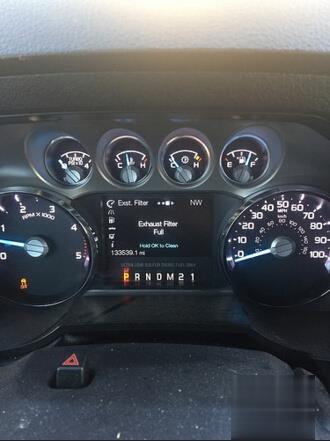
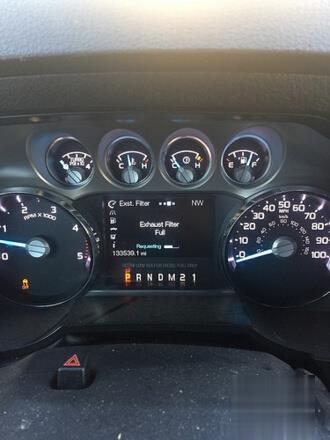
Here’s an easy instruction on how to how to perform Operator Commanded Regeneration (OCR) with Ford VCM II or VXDIAG VCX NANO IDS system manually.

When to perform OCR
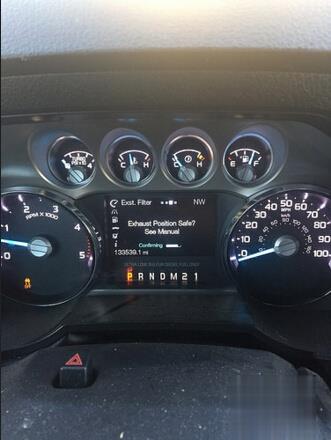
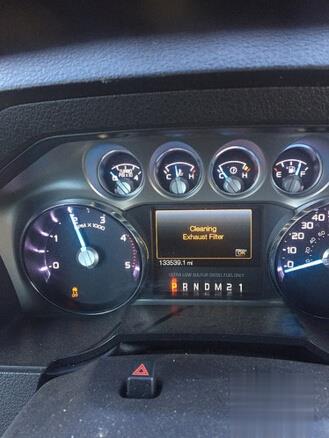
Use the OCR feature when the DRIVE TO CLEAN EXHAUST FILTER
message appears in the message center and:
• the operator is not able to drive in manner that allows effective
automatic cleaning (active regeneration),
• or the operator instead wishes to manually start regeneration
(cleaning) of the DPF while the vehicle is idle (stationary).

Tool to use:

Ford VCM 2 or VXDIAG VCX NANO for Ford& Mazda 2-in-1

(better operate in Windows XP or VMware)

Procedure:

In IDS,
Select Toolbox-Powertrain-Service Funtions-DPF manual regeneration

also, keep drilling down to Diesel particulate regeneration system- DPF manual regeneration.

One or both of those will be changed to “Yes”

Go to the gauge display on the IC, and the regen % will be on the third page. The 4th will still be blank.

I haven’t dicked around with it in awhile, but I’m sure that I will be able to OCR in the near future without going through the Edge module.

How to perform OCR with Ford VCM2 VXDIAG IDS-1 (2) How to perform OCR with Ford VCM2 VXDIAG IDS-2 (2) How to perform OCR with Ford VCM2 VXDIAG IDS-3 (2) How to perform OCR with Ford VCM2 VXDIAG IDS-4 (2) How to perform OCR with Ford VCM2 VXDIAG IDS-5 (2)

see also VXDIAG VCX NANO for Ford IDS perform OCR