2024年5月27日星期一

The Versatile USB Link 2: Your Ultimate Diagnostic Tool


In today's technologically advanced world, efficient and reliable diagnostic tools are crucial for automotive maintenance and repair. One such tool that has gained immense popularity is the USB Link 2. Compatible with a wide range of applications, this device offers comprehensive diagnostic capabilities for engines, transmissions, ABS, instrument panels, and much more.


Reasons to Get NEXIQ USB Link 2:


1. Wide System Support:

The USB Link 2 is compatible with both XP and Windows 7 operating systems. However, it's important to note that certain software, such as Volvo Hino Perkins Cat Nissan, must be used on the XP system, while other software can be used on Windows 7 32-bit.


2. Comparable Performance to Nexiq:

The USB Link 2 performs exceptionally well, living up to the standards set by the renowned Nexiq brand. It offers the same high-quality diagnostics and reliability, ensuring accurate results every time.


3. Extensive Compatibility:

Whether you need to diagnose engines, transmissions, ABS, or instrument panels, the USB Link 2 has got you covered. Its compatibility with various applications makes it a versatile tool for any automotive professional.


4. Faster Reprogramming:

With its direct USB connection, the USB Link 2 significantly reduces reprogramming times. This feature allows for quick and hassle-free updates, saving valuable time during maintenance procedures.


5. Mixed Fleet Capabilities:

The USB Link 2 boasts broad protocol support, enabling it to work seamlessly with mixed fleets. Whether you're dealing with different vehicle makes or models, this device can handle it all, making it a valuable asset for any workshop.


6. Quick Access to Vehicle Data:

Efficiency is key in the automotive industry, and the USB Link 2 provides quick access to essential vehicle data. This feature is particularly useful for generating maintenance reports or managing fleet operations, ensuring optimal performance and safety.


7. Convenient Attachment:

The USB Link 2 can be easily attached to a vehicle's diagnostic connector, eliminating the need for complicated setups or additional equipment. Its user-friendly design ensures hassle-free connectivity, allowing you to focus on the task at hand.


8. Portability and Flexibility:

Designed for convenience, the USB Link 2 can be used with both desktop PCs and laptops. Its lightweight and portable nature increase flexibility, making it a suitable choice for professionals who need to work on the go.


What does a USB Link 2 do?


The USB Link 2 is a powerful diagnostic tool that comes equipped with sixteen times more random access memory than its predecessors. Additionally, it supports heavier bus loads on simultaneous channels, ensuring seamless performance even under demanding conditions.


How to connect Nexiq USB Link 2 Bluetooth?


To connect the Nexiq USB Link 2 via Bluetooth, follow these simple steps:


1. Insert the USB Bluetooth Adapter CD into your PC's CD-ROM drive.

2. Install the necessary Bluetooth drivers as prompted by the installation wizard.

3. Plug the Bluetooth adapter (dongle) into an available USB port on your laptop.

4. Ensure that both the USB Link 2 and your laptop's Bluetooth are turned on.

5. Pair the USB Link 2 with your laptop via Bluetooth settings.

6. Once successfully connected, you can start using the USB Link 2 wirelessly, providing you with added convenience and freedom of movement.


Conclusion:

The USB Link 2 is a must-have diagnostic tool for any automotive professional. Its compatibility, performance, and ease of use make it an invaluable asset for efficient and accurate vehicle diagnostics. Invest in the USB Link 2 and experience the convenience and reliability it offers in diagnosing engines, transmissions, ABS, instrument panels, and much more.

2023年12月13日星期三

The Porsche Piwis Tester 3 is a cutting-edge dealer car scanner

 The porsche piwis tester is a cutting-edge dealer car scanner that is widely used in workshops for comprehensive diagnosis and repair of all Porsche vehicles. Recently, the Piwis 3 software has been updated to V42.100.02 + V38.250.000, making it compatible with all Porsche vehicles till 2023.


The Piwis Tester 3 software is pre-installed on a Lenovo Yoga I5 8G touch screen laptop, ensuring that it is ready to use straight out of the box. However, if you prefer to purchase just the hardware with the SSD software, please note that the laptop specifications must meet certain requirements. It should be a Lenovo laptop with a resolution of 1920*1080, a minimum of 4GB memory, and an I5CPU or above. Once you have the laptop, you can contact us to activate the two software systems and start using the Piwis Tester 3.


The Piwis Tester 3 offers a wide range of features and functions that make it an indispensable tool for workshops. Some of its key features include:

1. New operating system and user-friendly software interface for improved ease of use.

2. New VCI (Vehicle Communication Interface) that supports models with DoIP diagnostics after 2017.

3. Capabilities for maintenance, repair, control unit replacement, and programming code.

4. Online anti-theft matching programming with login support.

5. Guided fault finding to assist in diagnosing and troubleshooting issues.

6. Maintenance circuit diagram view for better understanding of the vehicle's electrical system.

7. Engineer mode (development version) that allows for special functions such as installation, modification, and flashing.


In terms of the hardware, the Piwis Tester 3 package includes a Lenovo Yoga S1/12 laptop, which is a second-hand device. It features an i5 CPU (5300U) and a 256GB SSD for fast and efficient performance. The laptop also comes with a touch screen and a pen for added convenience.


The package listing consists of the following items:

1. Piwis3 Tester: The main unit for conducting diagnostics and repairs.

2. OBDII Cable: Used for connecting the Piwis Tester 3 to the vehicle's OBDII port.

3. USB Cable: Used for connecting the Piwis Tester 3 to the laptop.

4. 256GB Software SSD: Contains the updated Piwis Tester 3 software for installation on the laptop.

5. Lenovo Yoga S1/12 I5 5300U: The second-hand Lenovo laptop that is pre-installed with the Piwis Tester 3 software.


In conclusion, the Porsche Piwis Tester 3 is a modern and powerful car scanner that offers extensive diagnostic and repair capabilities for all Porsche vehicles. With its updated software and high-quality hardware, it is an essential tool for workshops and car enthusiasts alike.

2023年12月3日星期日

PIWIS 3 is the diagnostic tool of choice for Porsche vehicles

Welcome to www.autonumen.com which we hope will meet all your Piwis needs. Now V42.100.02 + V38.250.000 pre-installed on Lenovo Yoga i5 8G Touchscreen Laptop Free Update.


Porsche Piwis Tester 3 is a modern automotive scanner used in workshops for comprehensive diagnostics and repair of the entire range of Porsche cars. This is specialized equipment that allows Porsche technicians and mechanics to diagnose and resolve problems in Porsche vehicles. The Piwis 3 is an advanced diagnostic system that can cover cars of all years, including the new 2021 Taycan. It provides a range of functions including diagnostics, guided fault finding, actual value/signal functions input, the drive links/test function, the maintenance/repair function group, the coding/programming function group, recording, filter and apply wiring diagrams. Overall, the Piwis 3 is an essential tool for any serious Porsche workshop looking to provide high quality service and repairs to its customers.

Multi-language: German, English, American English, French, Italian, Spanish, Japanese, Chinese, Russian, Portuguese, Dutch.

What are the Features of PIWIS 3?

The most recent version of PIWIS, PIWIS 3, is an improvement to its predecessor, PIWIS 2. Numerous new features and enhanced performance make PIWIS 3 the most advanced Porsche diagnostic tool currently on the market. Among the notable features of PIWIS 3 are:

1. Advanced diagnostic capabilities: PIWIS 3 can accurately diagnose all Porsche models, including the most recent ones.

2. The PIWIS 3 interface is user-friendly, making the system easy to use and navigate.

3. Detailed diagnostic reports: PIWIS 3 delivers detailed diagnostic reports that can be used to swiftly detect and resolve issues.

4. PIWIS 3 simplifies and expedites software updates, ensuring that your Porsche is equipped with the most recent software.


PIWIS 3 is the diagnostic tool of choice for Porsche vehicles. It is the most advanced Porsche diagnostic equipment on the market, and it can help you maintain your Porsche’s optimal performance.


2023 New Holland Electronic Service Tools 9.9 9.8 9.7 CNH EST Software Free Download.


CNH EST 9.8 New Holland Electronic Service Tool 9.8 (EST) Engineering Level- used by New Holland dealer technicians to connect with vehicles that have a Controller Area Network (CAN) BUS.The brand new version of New Holland CNH EST works with OS Windows 10 64 bit / 11 64 bit, except Home editions). If you have windows 7/ 8, we can offer you a previous version of CNH EST, as the 9.6/9.7 versions no longer support Windows 7 / 8and in some cases won’t even loading.

New Holland Electronic Service Tool Function List:

Check the status of parameters;

• Retrieve faults;

• Run diagnostic tests;

• Make ECU and parameter programming;

• Monitor active and logged diagnostics;

• View and change ECU configuration;

• View diagnostic procedures and schematics.

• Troubleshoot problems;

• Use assist database;

• Run scope diagnostics;


E.A.S.y – additional engine diagnostic and download tool for connection directly to ECU to perform diagnostic, programming and ECU reload by K-Line protocol.


CNH DPA5 diagnostic kit work for CASE New Holland excavator,heavy duty machine truck diagnostic,programming,function test…CNH DPA5 allows programs written for the PC to retrieve pertinent information such as fault codes, component information, as well as perform component level diagnostics, tests, and component reprogramming.


John Deere Service Advisor EDL (Electronic Data Link) heavy duty diagnostic adapter for construction equipment, agriculture, engines John Deere.Support Languages: English, French, Italian, Spanish, Portugueseohn Deere Service Advisor V5.3 Overview


1.Latest Service Advisor 5.3 AG and CF.

Service Advisor 5.3 CF & AG ALL Data Base Up To 2021

JD Parts Advisor Latest 2021

JD Service ADVISOR 5.3 [2021] AG (Agriculture Equipmen).

JD Service ADVISOR 5.3 [2021] CF (Construction and Foresty)

2.Support Languages: English, French, Italian, Spanish, Portuguese

English is default. If you need other language, please contact our customer service before ordering.

3.One Year Warranty On All – Software & Hardware.


John Deere Service Advisor EDL (Electronic Data Link) heavy duty diagnostic adapter for construction equipment, agriculture, engines John Deere.


John Deere Diagnostic kit includes software John Deere Service Advisor Agriculture or Construction and Forestry version.John Deere Service Advisor Agriculture workshop service manual, repair manual, electrical wiring diagram, hydraulic diagram, diagnostic, assembly and disassembly engine, transmission.


MB Star diagnostic tool Xentry 09.2023 release is now available,so far everything works as before …..It is confirmed working perfectly with 12v 24 Mercedes car, Bus, truck, Sprint, Smart from 1996 to 2023 year.MB Star diagnostic tool Xentry 09.2023 release is now available,so far everything works as before …..It is confirmed working perfectly with 12v 24 Mercedes car, Bus, truck, Sprint, Smart from 1996 to 2023 year. V2023.09 SUPER MB STAR C6 DOIP WIFI Diagnostic Tool Full Version Support BENZ Cars and Trucks

Top Reasons to Get Super MB SD C6 DoIP:

1.The new SDconnect C6 is able to work for DoIP.

2.It's the only C6 that supports ethernet communication (DoIP).

3.Have tested no issues on the new Mercedes with DoIP.

4.No need to worry about firmware damage during the update process

5.The wireless connection is stable. (With built-in Wifi Chip)

6.remote help is available.

7.Good Quality, It's waterproof, shockproof, and tamper-proof.

8.With Free DTS Monaco & Vediamo

9.Support both 12V Cars and 24V Trucks.

10.not only supports K line diagnosis and CAN BUS, but also UDS diagnose protocol.

11.Connector adopt Military quick swap technology, it can support 10,000 times pull the plug, more stable;

12.All core accessories adopt the original new packing chip, and a 24hours test, guarantee the quality of the products.

2023年11月10日星期五

The advanced diagnostic tools used in the automotive industry


The CNH DPA 5 Diagnostic Kit, John Deere Service Advisor EDL V2 Diagnostic Tool, Porsche Tester PIWIS III, Nexiq USB Link 2, and GM Tech2 are all advanced diagnostic tools used in the automotive industry. These tools are designed to assist technicians in quickly and accurately diagnosing and troubleshooting various issues in vehicles.


The CNH DPA 5 Diagnostic Kit is specifically designed for heavy-duty vehicles and machinery produced by CNH Industrial. It provides a comprehensive analysis of the vehicle's systems, allowing technicians to identify and resolve any potential problems efficiently. It offers a range of functions including checking parameters, retrieving faults, running diagnostic tests, and ECU programming.

2023 New Holland Electronic Service Tools 9.8 9.7 CNH EST Software Free Download

https://www.autonumen.com/goods-6874-New-Holland-Electronic-Service-Tools.html

Type of catalogue: CNH EST 9.8 Diagnostic Software

Make: Case, New Holland

Region: WorldWide

Languages: English, Italian, Russian, Polish, Spanish, French, Portuguese, German, Dutch, Danish.

OS: Windows 10 and Windows 11 64 bit


The John Deere Service Advisor EDL V2 Diagnostic Tool is a powerful tool used for troubleshooting and maintenance of John Deere agricultural and construction equipment. It offers detailed diagnostics and provides real-time data to aid in the repair process. It supports a wide range of models including tractors, combines, loaders, and sprayers.


Service Advisor EDL V2 Support Models:

Tractors

Tractor Attachments

Transmission

Combines and Headers

Cotton Harvesting

Cutting and Mowing

Harvester

Harvester Head

Hay and Forage

Landscaping

Mate. Hand Cut. and Shredders

Planetary Drive

Planting and Seeding

Scraper

Skid Steer

Loader

Compact Loader

4WD Loader

Snow Products

Sprayers

Sugar Cane Harvesters

Sugar Cane Planter

Tillage

Vertical Tillage

Utility Vehicles

Field and Crop Solutions


The Porsche Tester PIWIS III is a state-of-the-art diagnostic tool exclusively designed for Porsche vehicles. It provides comprehensive analysis and diagnosis, allowing technicians to access the vehicle's systems and perform advanced functions such as coding and programming.


PIWIS III with Piwis 3 Software Details:

1.Dual Software: V42.100.02 + V38.250.000

V38.250.000 (with Engineering software support offline programming)

V42.100.02 (with Engineering software support online programming,but you should have an online account and certificate)

2.Functions: Diagnosis and Programming

3.Update: By SSD

4.Connection: Via USB

5.Multi-Languages: German, English, US English, French, Italian, Spanish, Japanese, Chinese, Russia, Portuguese, Nederlands


The Nexiq USB Link 2 is a versatile diagnostic tool compatible with a wide range of heavy-duty vehicles, including trucks and buses. It offers advanced diagnostics, fault code reading, and provides access to vehicle parameters, enabling technicians to efficiently diagnose and repair complex issues.

Top 8 Reasons to Get NEXIQ USB Link 2:

 1. Support system: XP and windows 7 (Volvo Hino Perkins Cat Nissan software must be used on xp system, other software can be used on win 7 32bit)

 2. It Works As Great As Nexiq.

 3. Compatible with applications that diagnose engines, transmissions, ABS, instrument panels and more.

 4. Reduce reprogramming times with direct USB connection.

 5. Mixed fleet capabilities with broad protocol support.

 6. Quick access to vehicle data for maintenance or management reports.

 7. Quickly attaches to vehicle's diagnostic connector.

 8. Easy portability increases flexibility, May be used with desktop PC or laptop.


Lastly, the GM Tech2 is a renowned diagnostic tool widely used for General Motors vehicles. It allows technicians to perform comprehensive diagnostics, programming, and module replacement, ensuring optimal performance and functionality of GM vehicles.

Top 4 Reason to Get GM Tech2 Full Package:

1. Multi-langauge: English, Italian, French, Portuguese, German, Spainish, Korean, Japanese, Thai, Chinese

2. Update: via 32MB Software Card, when there is newer version, you can just buy new card to update

3. Support Car Models: GM, SAAB, Opel, Suzuki, Isuzu, Holden


These diagnostic tools are essential for automotive technicians as they greatly enhance the efficiency and accuracy of their work. They play a crucial role in quickly identifying and resolving issues, thereby minimizing downtime and maximizing customer satisfaction.

2023年9月7日星期四

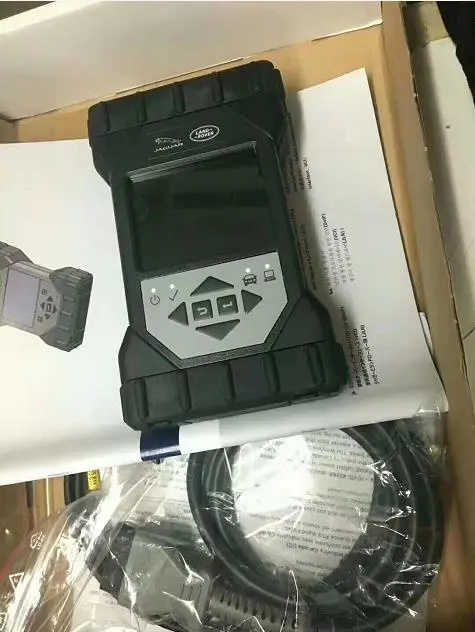
How to Choose JLR Diagnostic Tools

 If you’re a dealer or workshop looking to provide top-notch diagnostic services for Jaguar and Land Rover (JLR) vehicles, you’ve come to the right place. In this ultimate guide, we will introduce you to the advanced tools and software offered by Autonumen, ensuring that your workshop stands out with superior diagnostic capabilities.

JLR Diagnostic Software Solutions:

1. JLR SDD:
– Supported Models: 2005-2016
– Overview: JLR SDD is a comprehensive diagnostic software that ensures seamless service for vehicles within the supported model range. It provides all the necessary capabilities for efficient diagnostics.
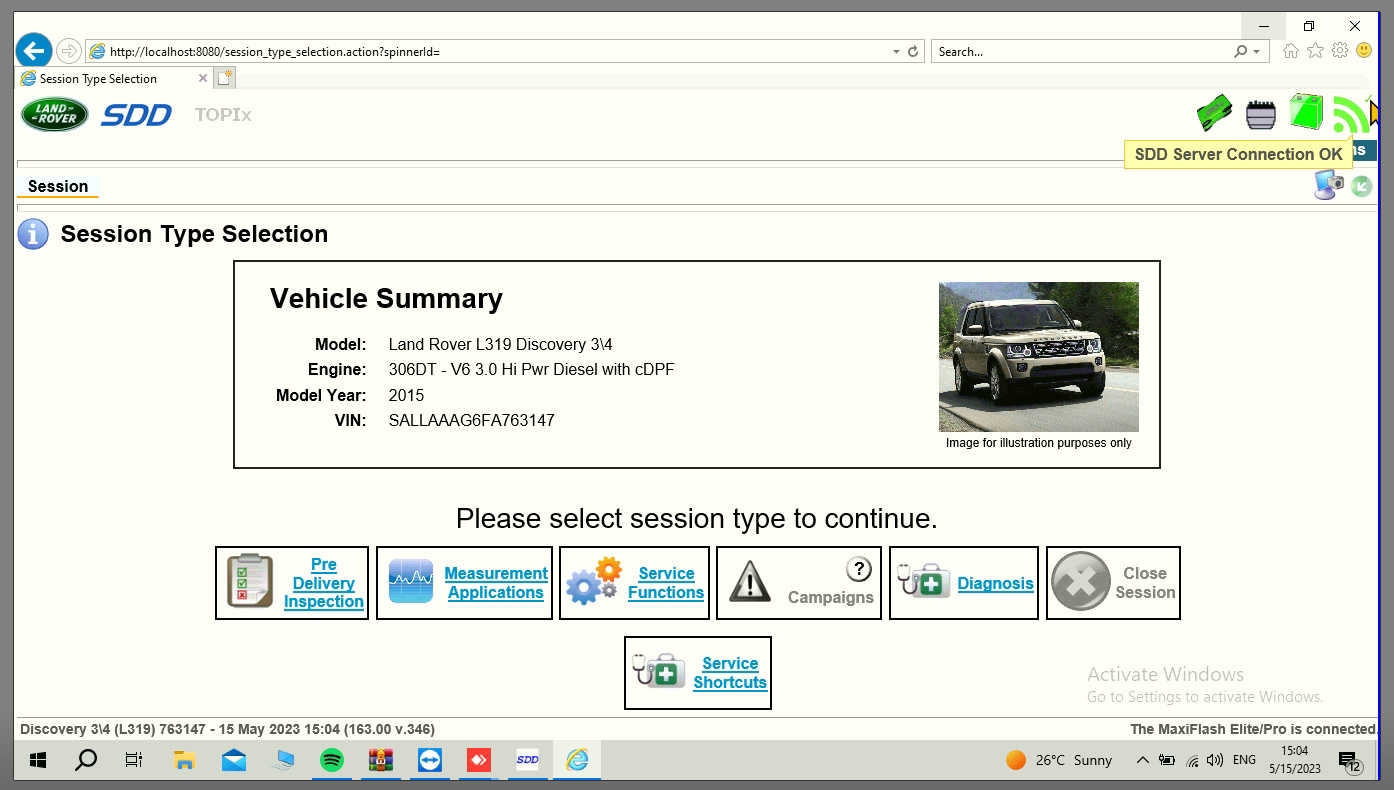
– Jaguar SDD v163 with SDD Server Online Connection
– Get JLR SDD here

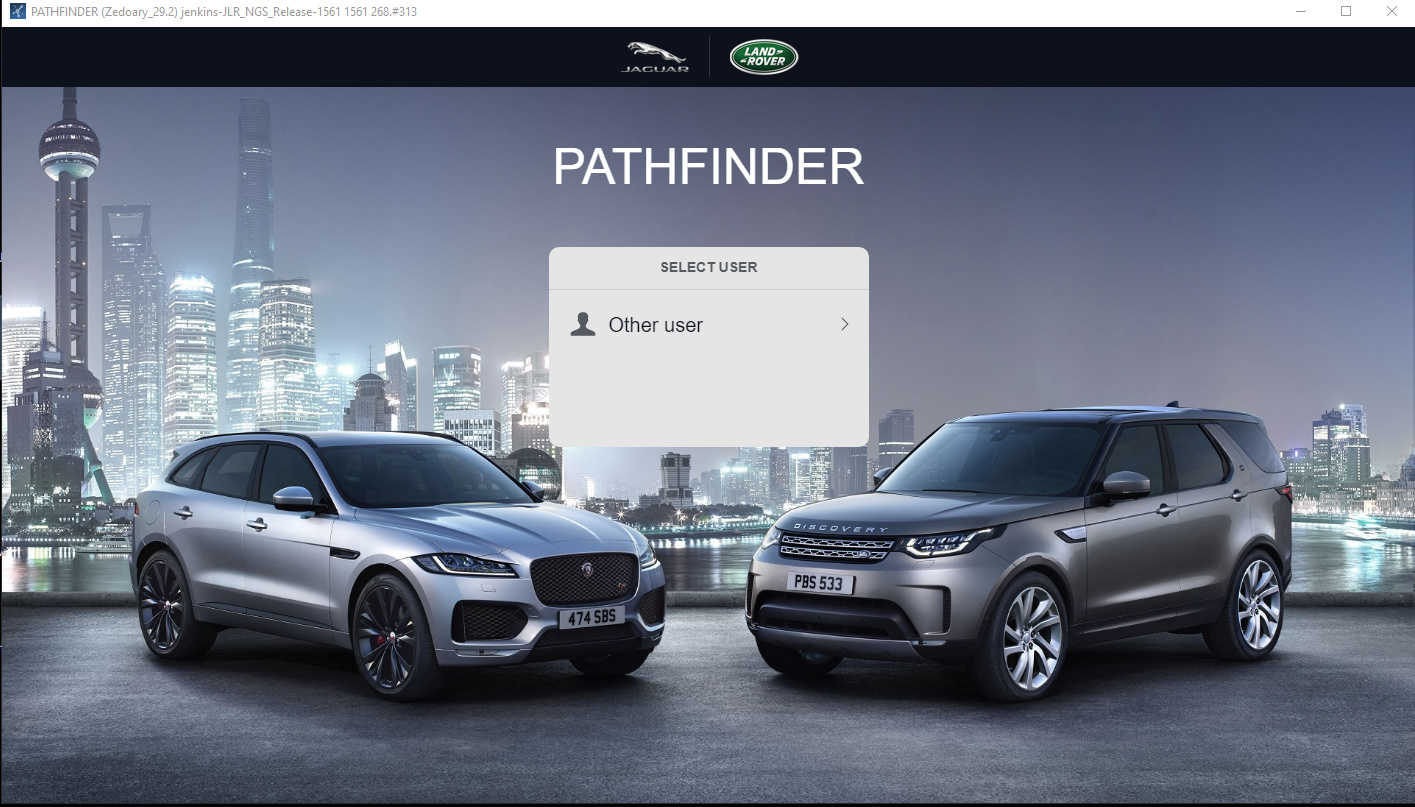
2. JLR Pathfinder:
– Supported Models: 2017-2021
– Overview: JLR Pathfinder is a software that allows you to diagnose and program newer JLR models.
– JLR Pathfinder Software
– Dive into JLR Pathfinder

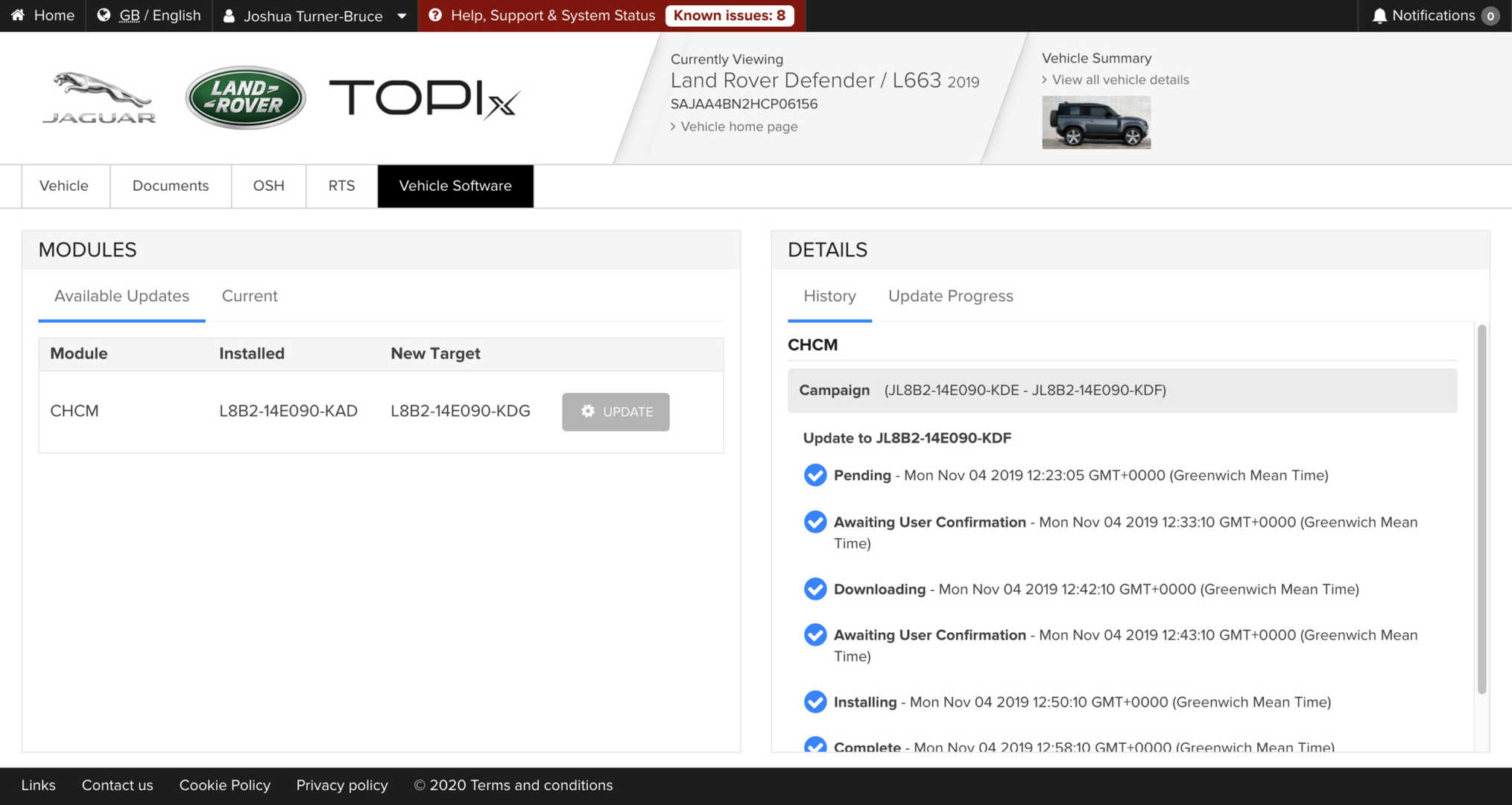
3. TOPIX CLOUD:
– Supported Models: 2017-2023
– Overview: As an official dealer account, TOPIX CLOUD is the pinnacle of JLR diagnostics and programming. It ensures that you have the latest tools for modern JLR vehicles, making it an indispensable solution.
– Land Rover TOPIX CLOUD
– Experience TOPIX C

Hardware Recommendations (VCI connectors):

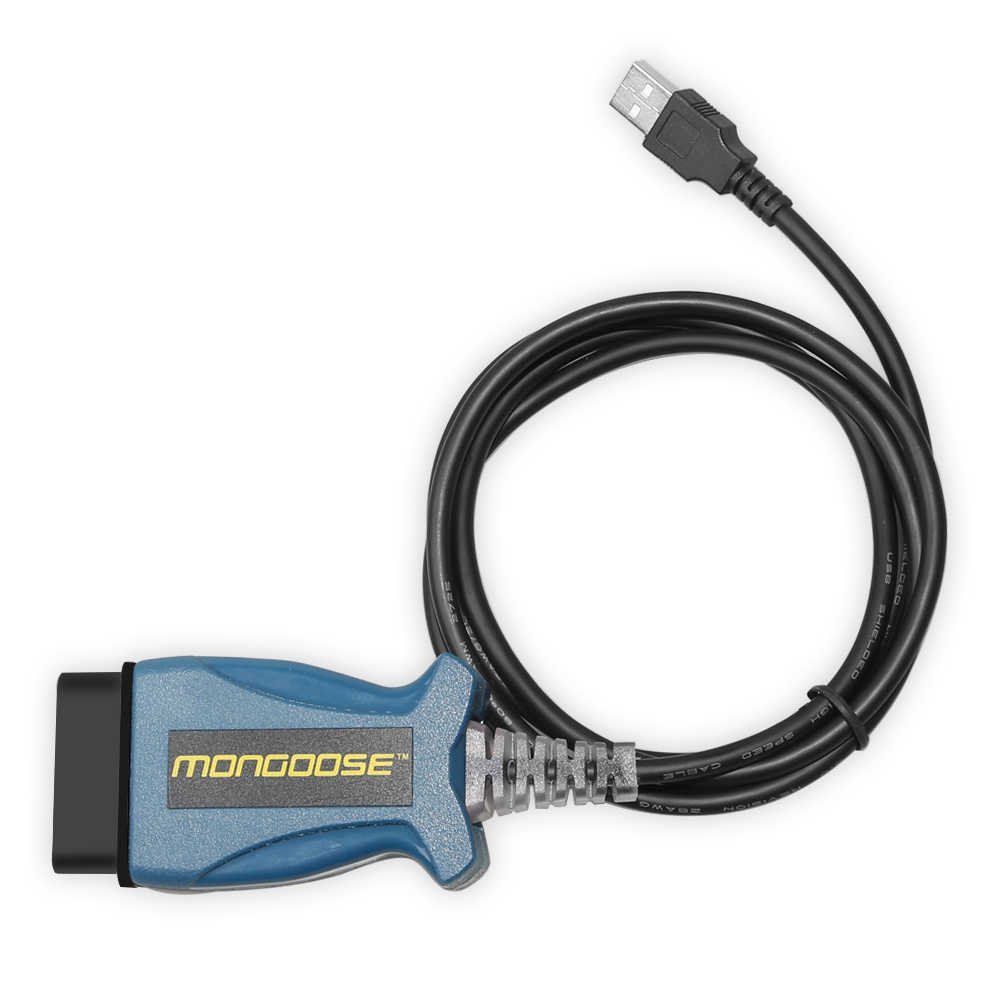
1. Mongoose Pro:
– Compatibility: JLR SDD
– Overview: Mongoose Pro is a specialized VCI connector optimized for JLR SDD. It ensures seamless communication and diagnostics, making it an excellent choice forongoose Pro JLR
– Discover Mongoose Pro

2. JLR DoIP VCI:
– Compatibility: Pathfinder and TOPIX CLOUD (for online programming)
– Overview: JLR DoIP VCI offers flexibility and efficiency. Designed for the modern JLR workshop, it allows you to work with Pathfinder and TOPIX CLOUD, providing a seamless experience.
– Explore JLR DoIP VCI

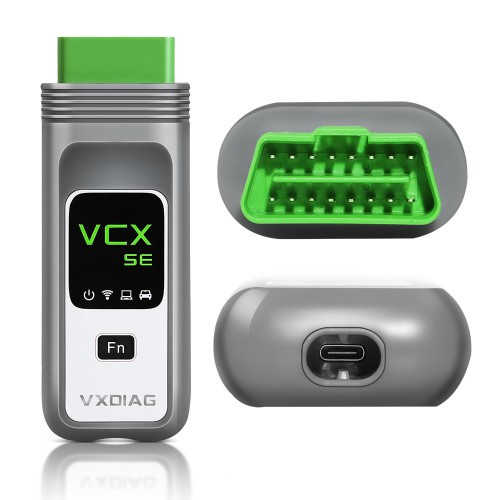
3. WiFi VC SE:
– Compatibility: Both JLR SDD and Pathfinder
– Overview: WiFi VCX SE is a versatile V connector that offers WiFi capabilities. It ensures a smooth diagnostic experience for both SDD and Pathfinder users, making it a convenient choice.
– Check out WiFi VCX SE

Final Thoughts:

Elevate your workshop’s JLR diagnostic and programming capabilities by investing in the right tools. Autonumen provides dealer-level solutions, ensuring your services are top-tier and ahead of the competition. Explore our offerings today and redefineLR services!

2023年8月21日星期一

ALLDATA 10.53 and Mitchell OnDemand 2 IN 1

 Investing in a high-quality diagnostic tool is crucial for technicians working with prestigious vehicle brands like Jaguar and Land Rover. These cutting-edge tools have revolutionized the way technicians diagnose and troubleshoot issues, allowing for more accurate and efficient repairs. In this blog post, we will explore five top diagnostic tools that every technician should consider adding to their arsenal.

1. Nexiq USB Link 2:
The Nexiq USB Link 2 is a versatile and powerful diagnostic tool that is compatible with Jaguar and Land Rover vehicles. This handy device enables technicians to connect to a vehicle's electronic control units (ECUs) and access valuable data such as fault codes, live data, and system information. Equipped with advanced features like bi-directional controls and reprogramming capabilities, the Nexiq USB Link 2 empowers technicians to accurately diagnose and resolve complex issues efficiently.

2. ALLDATA 10.53 and Mitchell OnDemand 2 IN 1:
ALLDATA 10.53 and Mitchell OnDemand 2 IN 1 are comprehensive diagnostic software that provide technicians with a vast database of repair and maintenance information for Jaguar and Land Rover vehicles. These software solutions offer detailed diagrams, step-by-step procedures, and wiring diagrams, allowing technicians to quickly identify and rectify problems. By combining these two powerful diagnostic tools, technicians gain access to a wealth of information that aids in accurate and efficient repairs.

3. Xentry Diagnosis VCI C6:
The Xentry Diagnosis VCI C6 is another highly regarded diagnostic tool for Jaguar and Land Rover vehicles. Developed by Mercedes-Benz, this device offers advanced diagnostic capabilities for various vehicle systems, including engine, transmission, ABS, and more. Its user-friendly interface and intuitive navigation make it an excellent choice for both novice and experienced technicians. With regular software updates, the Xentry Diagnosis VCI C6 remains up-to-date with the latest diagnostic protocols, ensuring accurate results every time.

4. Piwis 3 Tester:
Designed specifically for Porsche vehicles, the Piwis 3 Tester also offers compatibility with selected Jaguar and Land Rover models. With its advanced diagnostic functions and extensive coverage, this tool allows technicians to perform in-depth analysis of vehicle systems, including engine, transmission, electrical, and more. The Piwis 3 Tester's ability to perform adaptations, coding, and programming further enhances its utility, making it an indispensable tool for any Jaguar or Land Rover service center.

Investing in a high-quality diagnostic tool is crucial for technicians working with prestigious vehicle brands like Jaguar and Land Rover. These tools not only streamline the diagnostic process but also improve accuracy and efficiency. Whether it's the Nexiq USB Link 2, ALLDATA 10.53 and Mitchell OnDemand 2 IN 1, Xentry Diagnosis VCI C6, or Piwis 3 Tester, each of these diagnostic tools brings unique features and capabilities to the table. By incorporating these cutting-edge tools into their workflow, technicians can confidently diagnose and troubleshoot issues in these prestigious vehicle brands, ensuring customer satisfaction and repeat business.

2023年5月29日星期一

Procedure for using GM Tech2 Scanner GM Diagnostic Tool

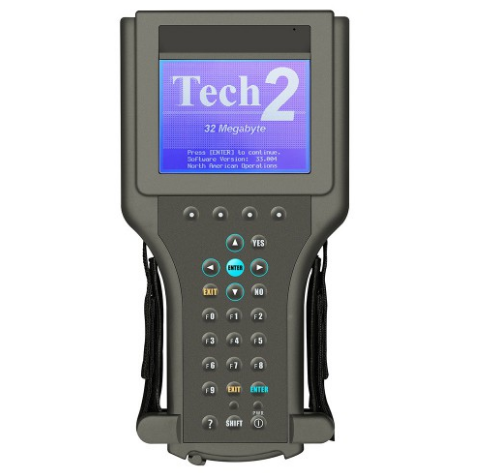
GM tech2 is famous scanner which can work for GM/ SAAB/ OPEL/ SUZUKI/ ISUZU/ HOLDEN Expert/ Australia Holden . The Vetronix Tech 2 comes with Authentic GM software and provides support for on-board diagnostics on all GM systems 1992 thru 2014.

Tech 2 diagnostic scanner is composed of LCD screen, four “soft keys”, standard keyboard, vehicle communication interface module and RS-232 communication port. Different models can be tested by changing different plug-in cards.

Some customers dont know how to use it , actually its easy to use the scanner , lets check the operation steps as bellowing :

Step 1 : Turn on the power, the instrument enters the self-check state, and the screen performs “SYSTEM INITIANLIZING” for about 4 seconds; when the instrument emits a “beep”, the screen will display the version information of the instrument.

Step 2: Press Enter to enter the main menu, the screen displays: F0-Diagnosis, F1- Service Program System, F2- Display Captured Data, F3- Tool Options, F4-Enable.

Step 3: Use the up and down cursor keys to select the target and press the enter key to confirm.

Step 4 : Select the F0 function, enter the vehicle specification option, and select the model year by moving the cursor keys. Press the enter key to enter the vehicle system, select the appropriate type, and then press the enter key to enter the system selection menu, the screen displays: F0-engine power, F1-body, F2-chassis, F3-diagnostic circuit check.

Step 5: Move the cursor keys to select F0 and press Enter to enter the engine type option. At this time, you can choose 3.2L V6G8 or 3.1L V6L82. Choose the former and press Enter to directly enter the following functions; select the latter and press Enter After pressing the car key, you must select BUICK and press Enter to enter the following functions. The screen displays: F0- fault code (DTC), F1- data display, F2- special functions, F3- capture, F4-I/M information, F5 -ID information.

Step 6 : Select DTC and press Enter to enter the diagnostic code function: F0-DTC information, F1- failure record, F2- clear fault code, F3- capture information.

Step 7 : Move the cursor keys to select F0, press the Enter key to confirm, and enter the following interface: F0-DTC information, F1- view fault code (special DTC), F2- clear fault code and record, F3- diagnosis test description.

Step 8 : Move the cursor keys to select F0, press the Enter key to confirm, and the fault code will be displayed. Use the cursor keys to turn pages; or press the corresponding key of INFO to provide relevant help information.

Step 9 : Return to “7”, select F1, press Enter to confirm, and enter the fault query interface. At this time, you can enter the fault code to query the referred fault and provide relevant help information.

Step 10 : Return to “6”, select F1 and press Enter to confirm. At this time, the fault code can be displayed.

Step 11 : Return to “6”, select F2, press Enter to confirm, the screen prompts: Do you really want to clear it? (Y/N), press Y key to clear, press N key to cancel.

Step 12: Return to “6”, select F3, press Enter to confirm, the screen displays: Recapture information, repeat display, and prompt whether you want to refresh (Y/N), press Y to recapture, press N to repeat display.

Step 13: Return to “5”, select F2, press Enter to confirm, the screen displays: engine, transmission.

Step 14 : Move the cursor keys to select “Engine”, press Enter to confirm, and enter the following operation interface: F0- Engine number? Net? F1- Catalyst data, F2-EGR valve data, F3- Oxygen sensor data, F4- Instrument data , F5- ignition data, F6- output driver data, F7- canister data.

Step 15 : Move the cursor keys to select F0 engine data, and press Enter to enter the following interface: engine speed, ideal idle speed, water temperature, intake air temperature, air flow sensor, engine load, etc. 58 items in total

Step 16 : Choose one of them to test.

Step 17 : Return to “5”, move the cursor keys to select F2 “Special Function”, press Enter to enter the following interface: engine output control, transmission output control, fuel system, idle speed control system, crankshaft position change learning function.

Step 18 : Select engine output control, press Enter, the screen displays: fan relay, fault indicator, air conditioning relay, carbon canister system, EGR solenoid valve, closed-loop data, cruise control, fuel pump, GENL — terminal.

Step 19 : You can enter the corresponding function by selecting.

 If you want to learn more about the Car Diagnostic Tools ,you can contact with us : Service@autonumen.com ,or research on our store directly : https://www.autonumen.com .